 Expensync
Know what you actually made this month.
Expensync tracks loads, fuel and driver settlements from the cab, and invoices your brokers before you're unloaded. Built for owner-operators and small fleets, not for accountants.
What it's for
Three jobs, one app.
Sorted as you enter it
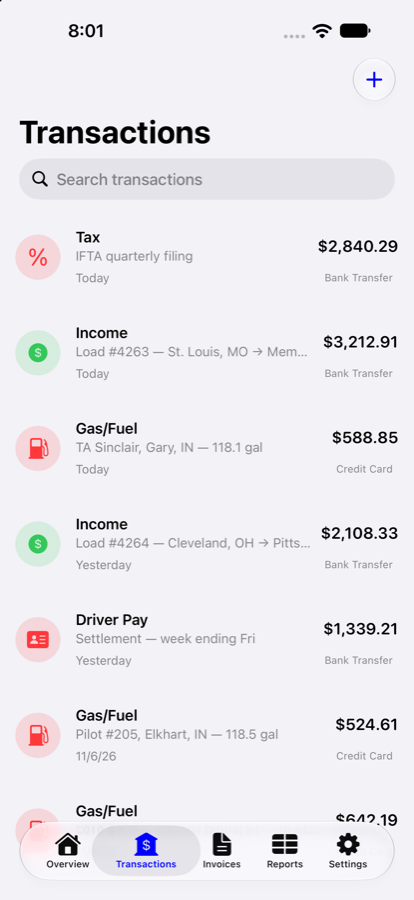
Log a fill-up at the pump and a load when it books. Every entry carries its category, its truck, its driver and the account it came out of — so nothing waits in a shoebox to be worked out in January. Photograph the receipt and it stays attached.
Invoice before you're unloaded
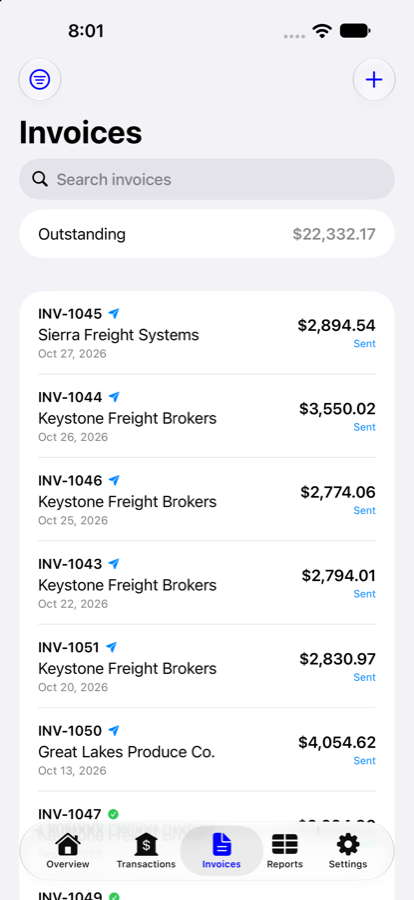
Build an invoice from your clients and line items — linehaul, fuel surcharge, detention — then send, share or save it as a PDF. Mark it sent or paid and watch your outstanding total come down.
By truck, driver or account
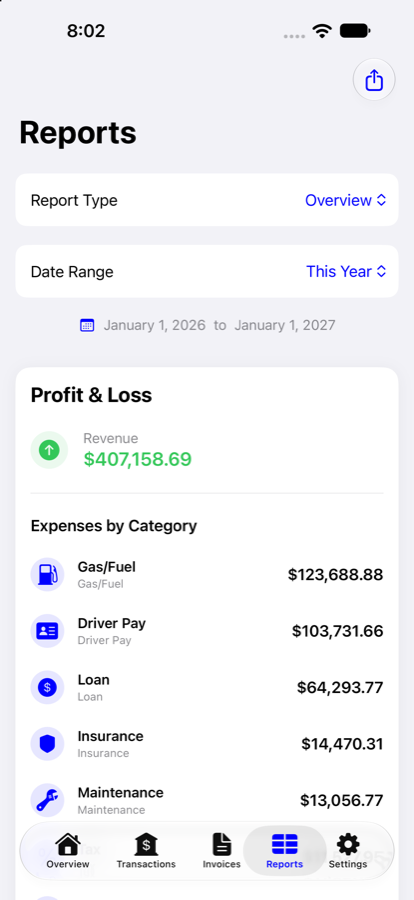
Profit and loss for the month, the quarter, the year or any range you pick — then cut it by category, by truck or by account. See which unit is carrying the others, and what each driver actually came to.
Come tax time
The year is already added up.
Nothing to reconstruct, because every entry was categorised the day you made it. Pull the period you need and the numbers are already in the right buckets.
Hand it to your accountant
Export any report to CSV and send it on. They get a clean, categorised year instead of a folder of fuel receipts and a shrug.
Or just do it yourself
Fuel, maintenance, insurance, tolls, the tractor note — each one is already totalled for the period. Most of a Schedule C is reading figures off the report.
Know what each driver was paid
Settlements are logged against the driver they went to, so the yearly total per person is sitting there when 1099s are due — no adding up cheque stubs.
Everything it does
The whole list.
No upsells and no add-ons — every subscription includes all of it.
Money in and out
- Unlimited income and expenses
- Ten categories, ready to use
- Add and rename your own
- Payment method on every entry
- Memo, reference and location
- Search and filter the ledger
- Pick your currency
Receipts
- Photograph with the camera
- Or pick from your library
- Attached to the transaction
- Swap or remove any time
Your fleet
- As many trucks as you run
- Costs split per unit
- Separate financial accounts
- Fuel card kept apart from checking
Drivers
- A record per driver
- Assign trucks and accounts
- Settlements logged against them
- Yearly totals for 1099 time
Invoices and clients
- Save the brokers you haul for
- Line items with quantity and rate
- Automatic invoice numbering
- Issue and due dates
- Draft, sent and paid
- Outstanding total at a glance
- Send, share or save as PDF
- Your company details on every one
Reports
- Profit and loss
- Month, quarter, year or custom
- By category
- By truck
- By account
- Export to CSV
At a glance
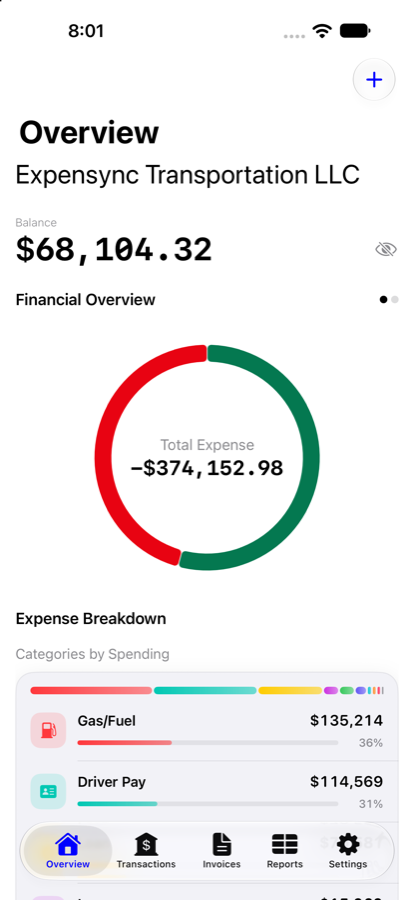
- Balance, income and expenses
- Month-by-month chart
- Spending by category
- Your latest entries
On your phone
- Face ID or Touch ID lock
- Eight languages
- Light and dark
- Works on iPhone, iOS 18 or later
Your data
- Export whenever you want
- Delete your account from Settings
- Never sold, never advertised against
- No third-party analytics
Not only in English
Eight languages, out of the box.
English, Español, Türkçe, Русский, Українська, हिन्दी, ਪੰਜਾਬੀ and Dari — chosen because that is who is actually driving. Switch at any time in Settings; nothing has to be set up again.
Privacy
Your books are yours.
We collect what you type into the app and nothing else. No advertising, no data sold or rented, no third-party analytics watching you work. Your password is stored hashed and we cannot read it. Export your records whenever you like, and delete your account from Settings without emailing anyone to ask.
Questions
What does it cost?
Everything is free for 30 days, with no card required to start. After that it is a subscription, billed monthly or yearly through the App Store — the current price is shown in the app before you subscribe. Cancel any time in your Apple account settings.
What happens when the trial ends?
Nothing is deleted. You keep full access to everything you have already entered, and can read, export and delete it. Adding new records needs a subscription.
Do I need to be online?
Yes — your records sync to your account, so the app needs a connection to save and load them. That is also what lets you pick up on another device after signing in.
Can my accountant get at the numbers?
Export to CSV from the reports screen and send it on. Driver payouts are totalled per driver for the year, which is the figure 1099s need.
Does it work for more than one truck?
Yes. Add as many trucks as you run, assign drivers and accounts to them, and reports will break costs down per unit so you can see which one is carrying the others.
How do I delete my account?
From Settings inside the app. If you would rather we did it, email [email protected].
Your books, done before you're home.
Download on the App StoreiPhone · iOS 18 or later · 30 days free